
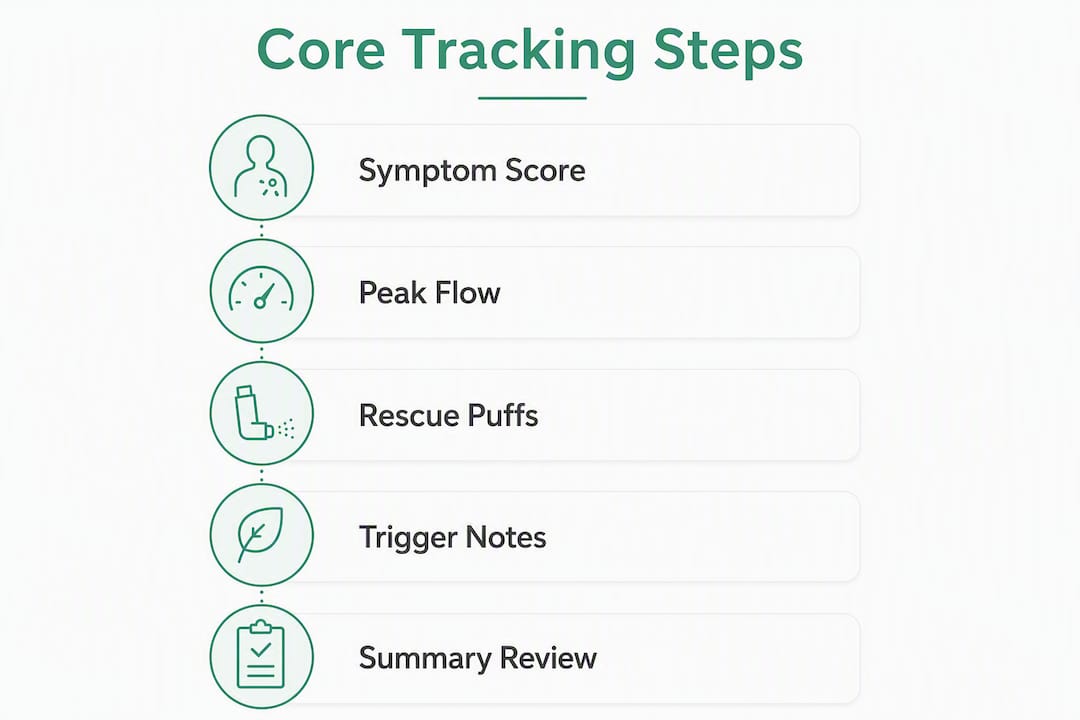
Start today with a daily symptom diary that records three things: your symptom severity score (1–10), your morning peak flow reading as a percent of your personal best, and how many rescue inhaler puffs you used. Add one or two suspected triggers, and you have everything a clinician needs to assess your control and adjust your treatment. That's the minimum viable asthma symptom tracker, and it works whether you prefer a printable log on your refrigerator or a digital app that exports a PDF before your next appointment.
- Symptom severity score: Rate 1–10 each morning (1 = no symptoms, 10 = severe)
- Peak flow (PEF): Record your reading and calculate the percent of your personal best
- Rescue inhaler puffs: Count and note the time of each use
- Controller inhaler: Mark yes/no and the time taken
- Triggers: Pick one or two you suspect (pollen, cold air, smoke, exercise) and track those consistently for 30 days
Pro Tip: Tie your logging to an existing habit, like right after your morning controller inhaler. Users who anchor tracking to a routine they already do are far more likely to keep it up past the two-week mark.
The goal for the first 14–30 days is simple: build the habit and collect enough data to see a pattern. Pick your tool now, set one daily reminder, and start.

Table of Contents
- What should you record every day?
- How do printable logs, apps, and clinic trackers compare?
- How to build a two-minute daily logging routine
- What patterns should you watch, and when do you call your clinician?
- How to share your tracker data with your clinician
- How to choose a tracker you'll actually stick with
- How consistent logs build a "breathing fingerprint"
- What to check about privacy before you log health data
- Key Takeaways
- Tracking works best when it's honest, not perfect
- Peacehealthai makes your daily log work harder for you
- Useful sources and further reading
What should you record every day?
The most clinician-useful daily entries stay short. Three core fields, a couple of context notes, and a one-line observation. That's it.
Core fields (the Big Three)
| Field | What to record | Why it matters |
|---|---|---|
| Symptom severity score | 1–10 scale, morning and/or evening | Tracks subjective control over time |
| Peak flow (PEF) | Reading in L/min + % of personal best | Objective lung function; flags early drops |
| Rescue inhaler puffs | Count + time of each use | Key indicator of poor control |
Daily context fields
These take under 30 seconds to add and dramatically improve pattern detection:
- Controller inhaler: Taken? Yes/No, and what time
- Sleep quality: Rough score or note (e.g., "woke twice coughing")
- Exercise or exertion: Type and duration
- Main trigger(s): One or two only. Focused tracking of one or two suspected triggers over a 30-day period yields clearer correlations than logging every possible environmental variable
Optional fields (add later, not on day one)
- Nocturnal awakenings (count per night)
- Steroid bursts or ER visits (date and duration)
- Asthma Control Test (ACT) score, logged weekly or monthly
- Medication side effects
Sample daily entry
Date: June 3 | Time: 7:15 AM | Symptom score: 3/10 | PEF: 410 L/min (88% of personal best) | Rescue puffs: 0 | Controller taken: Yes, 7:10 AM | Trigger: Pollen (high today) | Note: Mild chest tightness after morning walk, resolved in 20 min
How do printable logs, apps, and clinic trackers compare?
Choosing the right format matters less than choosing one you'll actually use. Here's how the three main options differ in practice.

Printable diary: No app, no account, no battery. You print a template, fill it in with a pen, and scan or photograph it before appointments. The downside is obvious: no automatic charts, no export button, no reminders. But for people who prefer paper or who want to build the habit before committing to an app, a printable log is a perfectly valid starting point.
Consumer apps: Apps that track symptoms, peak flow, inhaler use, and triggers convert daily entries into charts and exportable PDF or CSV reports clinicians can actually read. Many include medication reminders, time-stamped inhaler logs, and integration with Apple Health or Health Connect to pull in sleep, step count, SpO2, and heart rate alongside your symptom records. The trade-off is privacy: check whether the app stores data locally, in the cloud, or shares it with third parties.
Clinic or academic trackers: Programs like the eAsthma Tracker are built around specific care pathways or research protocols. They tend to be more structured and clinically detailed, but less flexible for everyday use outside a program.
- Pick a printable log if you're just starting out or strongly prefer paper
- Pick a consumer app if you want automatic charts, reminders, and exportable reports
- Pick a clinic tracker if your care team or a research program requests it
Pro Tip: Start with whichever format creates the least friction. A paper log filled in daily beats a sophisticated app opened twice and abandoned.
How to build a two-minute daily logging routine
Consistency is the single biggest factor in tracker utility. Most users abandon manual logs within two weeks if the process feels like a chore. The solution is a fixed routine with a hard time limit.
- Trigger the habit: Log immediately after your morning controller inhaler, before breakfast, or right after waking. Same time, same cue, every day.
- Record symptom severity: Score 1–10 based on how you feel right now. Don't overthink it.
- Enter your peak flow: Take two or three blows with your peak flow meter and record the best reading. Calculate the percent of your personal best.
- Log rescue puffs: Did you use your rescue inhaler since your last entry? Count and note the time.
- Note triggers and context: One or two suspected triggers, sleep quality, and any exercise. This takes 20 seconds.
- Add a short note if needed: "Woke at 2 AM coughing" or "Tight after gym" is enough.
Example entries
Adult entry (mild morning wheeze after a run):
June 10 | 6:45 AM | Score: 4/10 | PEF: 390 L/min (84% personal best) | Rescue puffs: 1 at 6:30 AM | Controller: Yes | Trigger: Cold air, exercise | Note: Wheeze started 10 min into run, resolved after one puff
Child entry (nighttime cough, one rescue puff):
June 10 | 7:00 AM (parent logging) | Score: 5/10 | PEF: 210 L/min (79% personal best) | Rescue puffs: 1 at 2:15 AM | Controller: Yes, 8 PM last night | Trigger: Unknown, possibly dust | Note: Woke coughing, one puff settled it in 15 min
For high-risk patients or children with frequent nighttime symptoms, a quick evening check (symptom score and rescue puff count only) adds useful data without much extra effort.
What patterns should you watch, and when do you call your clinician?
Raw numbers mean little in isolation. Trends are what matter, and a few simple thresholds tell you when to act.
Patterns worth tracking:
- Symptom severity scores creeping upward over one to two weeks
- Peak flow readings declining toward or below 80% of your personal best
- Rescue inhaler use increasing week over week
- Clusters of flares that consistently follow a specific trigger
Tracking peak flow with personal-best comparisons and zone alerts helps you spot drops before a full attack develops. Most asthma action plans use a three-zone system:
- Green zone: PEF at or above 80% of personal best. Asthma is under good control.
- Yellow zone: PEF between 50% and 79% of personal best. Caution. Review your action plan and contact your clinician if this persists.
- Red zone: PEF below 50% of personal best. Medical alert. Follow your emergency action plan immediately.
Red flags that require urgent care:
- Severe shortness of breath not relieved by your rescue inhaler
- Peak flow in the red zone per your written action plan
- Inability to speak in full sentences
- Blue or gray tint to lips or fingertips
Beyond the zones, watch for repeated steroid bursts or ER visits. These are strong signals that your current treatment plan needs adjustment, and your tracker data is exactly what your clinician needs to make that call. For guidance on when symptoms require immediate escalation, knowing how to act fast can make a real difference.
How to share your tracker data with your clinician
Clinicians prefer summary reports showing long-term peak flow zones and rescue-use frequency rather than raw daily entries. Bring them a summary, not a stack of daily logs.
Before your appointment:
- Export the last 30–90 days from your app as a PDF or CSV, or photograph your printable diary pages.
- Highlight peak flow trend charts, rescue inhaler counts, and any dates with steroid bursts or ER visits.
- Write a one-paragraph summary: "Over the past 30 days, my peak flow has been mostly in the green zone except for two yellow-zone days after outdoor exercise. I used my rescue inhaler four times, all in the morning. My main suspected trigger is cold air."
- Label your file clearly: "Asthma log, last 30 days, [your name], [date]."
- Bring a printed copy and email a PDF to the clinic portal if one is available.
What your clinician wants to see:
- PEF zone distribution over the period (how many days in green, yellow, red)
- Frequency of rescue inhaler use per week
- Notable flare dates and what preceded them
- Any gaps in controller therapy adherence
A short, labeled summary takes five minutes to prepare and makes the appointment far more productive than handing over 30 pages of daily entries.
How to choose a tracker you'll actually stick with
The best asthma diary app is the one you open every morning. Before you download or print anything, run through this checklist.
Must-have features:
- Exportable reports in PDF or CSV format
- Daily entry flow that takes under two minutes
- Customizable reminders
- Peak flow charting with personal-best comparison and zone alerts
- Privacy settings and clear data backup options
- Trigger tagging
Questions to ask before committing:
- Can I export a 30-day or 90-day summary report?
- Is my data stored locally on my device, or does it go to a cloud server?
- Are reminders customizable by time and frequency?
- Does it integrate with Apple Health, Health Connect, or any wearables I use?
- Does the privacy policy mention sharing health data with advertisers or research partners?
Decision tips:
- Prioritize export and report features above everything else if you see a clinician regularly
- If privacy is a primary concern, look for apps that offer local-first storage with optional encrypted backup, or use a printable diary
- Skip apps with complex onboarding if you're just starting out. Simplicity wins at the beginning
For a broader look at how symptom-tracking habits improve clinician collaboration, the step-by-step guidance there pairs well with any format you choose.
How consistent logs build a "breathing fingerprint"
Every entry you make adds a data point to what researchers call a breathing fingerprint: a personalized map of which environmental and behavioral factors most influence your symptoms. Population averages tell you that cold air and pollen are common triggers. Your fingerprint tells you that your symptoms spike specifically on high-pollen mornings after outdoor exercise, but not on cold days indoors.
Modern respiratory platforms are shifting toward proactive "co-pilot" features that surface these personalized trigger combinations rather than leaving users to spot patterns manually. AI-style analytics can automate pattern detection, flag early alerts when repeated symptom patterns appear, and generate trend summaries that reduce the guesswork before appointments.
The clinical value is concrete. When a clinician can see that your rescue inhaler use doubled in the two weeks following outdoor exercise in cold weather, they can make a targeted medication adjustment. Without that data, the conversation stays generic.
Pro Tip: Use an AI-generated summary page or trend highlight as the first thing you show your clinician. Doctors read summaries faster than raw daily logs, and leading with a clear visual makes the appointment more efficient for both of you.
AI-driven wellness apps that combine symptom history with automated insights are making this kind of pattern detection accessible without clinical training.
What to check about privacy before you log health data
Health data is sensitive. Before you commit to any digital asthma management app, spend five minutes on its privacy policy.
What to look for:
- Storage location: Is data stored locally on your device, on the developer's servers, or in a third-party cloud?
- Encryption: Is data encrypted in transit (HTTPS) and at rest?
- Data sharing: Does the policy mention sharing with advertisers, research partners, or data brokers?
- Export and deletion: Can you export your full history and permanently delete your account?
- Research use: Some apps use anonymized data for research. Decide if you're comfortable with that.
Practical checklist:
- Prefer apps with optional encrypted backup and clear account-deletion options
- Avoid apps where health fields are accessible to third-party ad networks
- Read the privacy policy before entering any symptom data, not after
Pro Tip: If privacy is non-negotiable for you, a printable diary or an app that explicitly offers local-first storage with no mandatory cloud sync is your safest option.
Key Takeaways
A daily asthma symptom tracker built around the Big Three (symptom score, peak flow, rescue puffs) plus one or two trigger notes gives clinicians exactly what they need to assess control and adjust treatment.
| Point | Details |
|---|---|
| Start with the Big Three | Log symptom severity score, morning peak flow, and rescue inhaler puffs every day. |
| Match the format to your habit | Use a printable log for simplicity, a consumer app for charts and exports, or a clinic tracker for program-specific care. |
| Bring summaries, not raw logs | Export 30–90 days of data and write a one-paragraph summary before every appointment. |
| Know your action thresholds | Contact your clinician when peak flow drops below 80% of personal best or rescue use increases week over week. |
| Peacehealthai adds AI pattern detection | Peacehealthai's symptom history tracking and early alerts turn daily entries into a clinician-ready breathing fingerprint. |
Tracking works best when it's honest, not perfect
The conventional wisdom around asthma tracking tends to overemphasize the tool and underemphasize the habit. People spend time comparing apps when what actually moves the needle is logging the same three fields every morning for 60 days straight, regardless of which format they use.
There's also a gap between what tracking promises and what it delivers without interpretation. A log full of numbers doesn't help anyone unless someone, whether that's you, your clinician, or an AI summary, draws a line through the data and says: "This is the pattern, and here's what it means." That's where AI-generated summaries genuinely earn their place. Not as a replacement for clinical judgment, but as a translator between raw daily entries and the kind of trend narrative a clinician can act on in a 15-minute appointment.
The other thing most articles miss: tracking is most valuable precisely when you feel fine. Logging on good days gives you the baseline that makes bad days legible. Without green-zone data, you can't see the yellow-zone drift coming.
Peacehealthai makes your daily log work harder for you
Keeping a daily log is the right move. Getting the most out of it means having a tool that turns those entries into something your clinician can act on. Peacehealthai's AI-powered symptom checker combines symptom history tracking with daily AI-generated insights, early alerts when repeated patterns appear, and exportable summaries built for clinic appointments, not just personal reference.
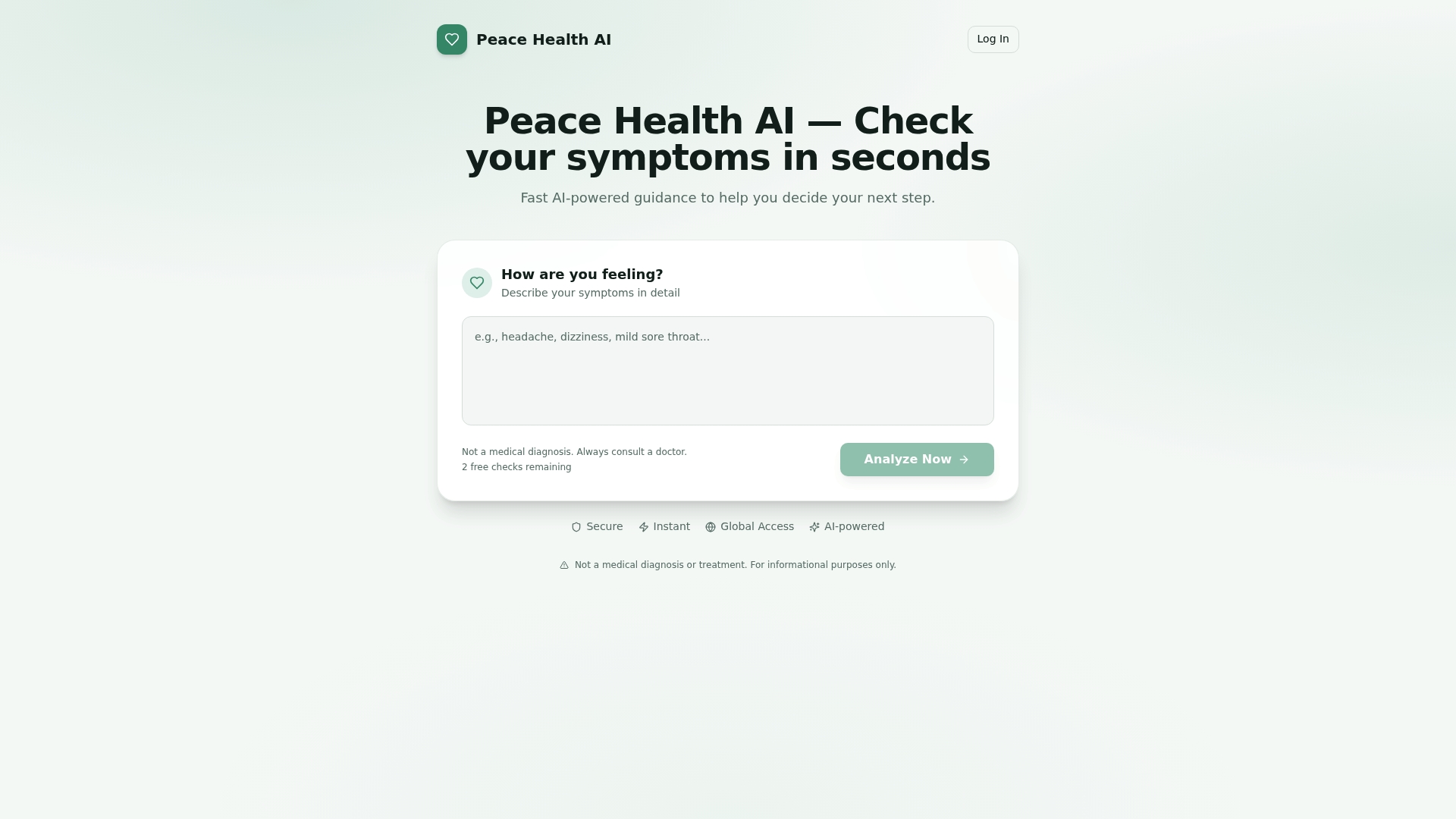
The free tier lets you start tracking today and export a 30-day summary before your next appointment. No lengthy setup, no manual chart-drawing. You log the Big Three, Peacehealthai surfaces the pattern, and you walk into your appointment with a one-page summary your clinician can read in two minutes. For a faster start, check your symptoms now and see how AI-guided tracking fits into your daily routine.
Useful sources and further reading
These resources offer printable templates, clinical evidence, and deeper guidance on asthma monitoring:
- eAsthma Tracker (University of Utah): A clinic-developed digital tracker with structured daily logging and clinician-report features
- Evidence reviews for symptom diary for monitoring asthma (NIH/NCBI): Peer-reviewed evidence on the clinical value of symptom diaries for asthma monitoring
- University of Utah Health: Asthma App Research: Background on how digital tracking tools have been evaluated in clinical settings
- Asthma Ireland: Managing your asthma, symptom diary: Practical guidance on keeping a symptom diary and preparing summaries for appointments
- Peacehealthai: AI-Powered Symptom Checker: Symptom history tracking, AI-generated insights, and exportable reports for clinician review
This article is general health information, not medical advice. Confirm action thresholds, medication changes, and emergency steps with your clinician or a qualified healthcare professional.