
For AI-driven symptom analysis and ongoing health guidance, Peacehealthai is the clearest recommendation. It accepts detailed symptom descriptions, returns fast triage-level guidance, tracks your symptom history over time, and layers in daily nutrition and activity insights — all within a single app built specifically for this job.
If you need to round out your setup, consider these complementary categories:
- A foundational data hub (Apple Health on iOS or Google Fit on Android) to centralize metrics from your devices automatically
- A specialized mental-health module with evidence-based CBT techniques for stress, anxiety, or sleep support
- A nutrition tracker for macro and calorie logging that feeds richer context into your symptom analysis
Privacy matters here. Look for HIPAA-aware data handling, transparent third-party sharing policies, and Apple Health or Google Fit integration so your device data and symptom data live in the same ecosystem.
Pro Tip: Connect your chosen app to Apple Health or Google Fit before you log a single symptom. Four weeks of combined device data and symptom entries gives the AI enough signal to personalize recommendations meaningfully — starting without it means starting blind.
Table of Contents
- What should you look for in a wellness app for AI symptom checking?
- How do AI symptom checkers actually work, and what are their limits?
- How to run a 4-week trial of a wellness app for symptom analysis
- How Peacehealthai meets the evaluation checklist
- What does pricing look like for AI symptom-check wellness apps?
- Key Takeaways
- The gap between what AI symptom tools promise and what actually matters
- Try Peacehealthai's AI symptom checker today
- Useful sources
What should you look for in a wellness app for AI symptom checking?
Health informatics experts consistently rank clinical accuracy, privacy, and evidence backing above aesthetics or app-store ratings. Here is the checklist that actually separates useful apps from noise.
Clinical accuracy and evidence base. Ask whether the app cites clinical validations, describes its model transparently, or references peer-reviewed research. Marketing copy is not evidence.
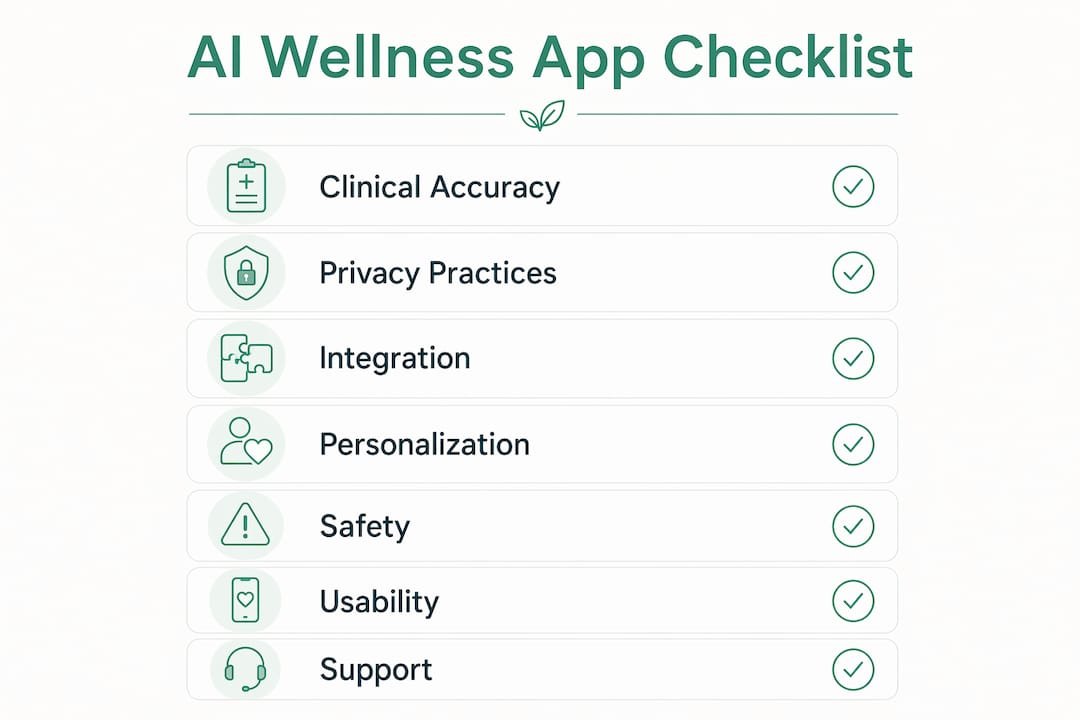
Privacy and data practices. Check what data is stored, whether it is shared with third parties, and whether the app aligns with HIPAA-aware practices. On-device processing is a meaningful plus.
Integration capability. Read/write access to Apple Health (iOS) or Google Fit (Android) is the difference between an app that sees your full health picture and one working from a fragment. Experts recommend starting with a hub-plus-specialist setup rather than hunting for one app that does everything.

Personalization and adaptive features. Recovery scoring, readiness-adjusted recommendations, and symptom-history learning all signal a system that improves with use rather than repeating the same generic advice.
Safety and red-flag handling. The app must have clear escalation paths. If a symptom pattern warrants urgent care, the guidance should say so plainly, not bury it in a disclaimer.
Usability and adherence. Low-friction logging matters more than most people expect. An app you actually use every day beats a sophisticated one you abandon by week two.
Support and update policy. Check the update cadence and whether the developer communicates model changes. An AI symptom checker that silently changes its logic without notice is a trust problem.
Pro Tip: Before subscribing, read the most recent 1–3 star reviews in the app store. Sync failures and sensor drift after OS updates show up there first — well before any official changelog.
How do AI symptom checkers actually work, and what are their limits?
The core loop is straightforward: you input symptoms (and optionally, vitals or wearable data from Apple Health or Google Fit), the model runs probabilistic reasoning across a differential-symptom ranking, and it returns a recommendation. Google Fit's Heart Points metric, for example, is built with WHO and AHA guidance and feeds standard activity benchmarks into that kind of analysis.
Where these systems earn their keep: triage-level guidance, trend detection across repeated symptoms, early alerts when a pattern recurs, and behavior nudges for self-care. An app that flags that your reported fatigue has appeared four times in three weeks is genuinely useful. That is pattern recognition a busy person would miss.
Where they fall short: definitive diagnosis, substituting for a physical exam or lab test, and reliably interpreting high-acuity emergencies. Mental health apps face a similar ceiling. Evidence-based CBT modules support therapy between sessions — they do not replace a clinician. The same logic applies to symptom checkers: they inform, they do not diagnose.
Safety callout: Chest pain with shortness of breath, sudden severe headache, signs of stroke (face drooping, arm weakness, speech difficulty), or any symptom you would describe as "the worst of my life" — go to an emergency room. No app replaces that call.
Common error sources include incomplete symptom input, biased training data, and device-sensor inaccuracies. Heart-rate readings from a wrist sensor during intense movement can drift by meaningful margins.
A study found that AI-driven apps produced notably higher logging adherence rates than traditional manual-logging apps. That gap matters because adherence, not algorithm sophistication, is what drives better outcomes over time.
How to run a 4-week trial of a wellness app for symptom analysis
The goal is to stress-test accuracy, personalization, and reliability before you commit to a paid plan.
- Week 0 — Setup and baseline. Connect Apple Health or Google Fit, import recent health history, and configure notification preferences and initial goals. Specialists recommend treating Apple Health as the foundation layer for iPhone users, then adding the AI symptom layer on top.
- Week 1 — Active logging and accuracy checks. Enter representative symptoms daily. Confirm device data is syncing correctly and note any gaps or failures.
- Week 2 — Personalization check. Do recommendations adapt to your daily readiness and recovery? Adaptive, day-to-day scoring outperforms fixed weekly plans for long-term adherence.
- Week 3 — Edge-case stress test. Log non-routine symptoms. Test whether the app's red-flag detection triggers appropriately and whether escalation paths are clear.
- Week 4 — Adherence and value decision. Measure how consistently you logged. Identify which premium features you actually used. Decide whether personalization improved enough to justify a paid tier.
Data integration steps: enable Apple Health or Google Fit permissions on day one, prioritize heart rate, sleep, and nutrition inputs, and validate that the app writes data back to the hub (not just reads it).
| Go/No-Go Criterion | Pass Signal |
|---|---|
| Sync reliability | Zero unexplained data gaps in weeks 1–2 |
| Personalization | Recommendations visibly adapted by week 3 |
| Red-flag handling | Escalation guidance appeared for high-risk inputs |
| Logging friction | You logged daily without reminders by week 4 |
| Feature value | At least one paid feature materially changed your behavior |
How Peacehealthai meets the evaluation checklist
Peacehealthai maps directly to the criteria above. Its AI-powered symptom checker accepts detailed symptom descriptions and returns fast, structured guidance — covering both basic and advanced symptom analysis depending on your plan tier.
Feature alignment with the checklist:
- Symptom-history tracking surfaces repeated patterns and triggers early alerts before you notice a trend yourself
- Daily AI-generated nutrition and activity insights add context beyond symptom entries alone
- Goal-based coaching (fat loss, muscle gain, general wellness) ties symptom guidance to behavioral targets
- Priority response speed at higher tiers reduces wait time for guidance when you need it quickly
- Health score analytics give a longitudinal view rather than one-off assessments
- AI health chat supports follow-up questions within the same session
On privacy, Peacehealthai operates with HIPAA-aware practices and transparent data handling. For clinical grounding: and.
Symptom input is low-friction by design. The free tier covers basic symptom analysis and foundational guidance; paid tiers unlock advanced insights, symptom export, priority response, and the full coaching suite. Check the full feature breakdown before deciding which tier fits your needs.
For users integrating wellness apps into broader care routines, including those with complex or neurodiverse health needs, Autism Victory offers complementary resources worth reviewing alongside any AI symptom tool.
Pro Tip: Log your first symptom entry within 24 hours of connecting your health data. The AI needs real entries to begin building your baseline — waiting a week to "set up properly" just delays the personalization clock.
What does pricing look like for AI symptom-check wellness apps?
Most apps in this category follow a freemium model: a free tier with basic features, a monthly subscription, and a discounted annual plan. Enterprise bundles for clinician partners exist but are less relevant for individual users.
Features commonly behind paywalls:
- Advanced personalization and adaptive recommendations
- Priority response speed
- Historical symptom export and data portability
- Premium coaching programs (fat loss, muscle gain, chronic condition monitoring)
- Detailed health score analytics
The practical approach: start on the free tier and use it seriously for at least two weeks. If you hit a wall where a paywalled feature would materially change your behavior (faster responses during a health concern, exportable history for a doctor's visit, or advanced coaching), that is the signal to upgrade. Upgrading before you know which features you actually need is how people end up paying for tools they never open.
Peacehealthai's subscription plans include free, monthly, and annual options. Annual plans typically offer meaningful savings over monthly billing for users who commit after the four-week trial.
The 3.2× adherence advantage seen in AI-driven logging apps matters most at the paid tier, where reduced friction and richer feedback loops compound over months, not weeks.
Key Takeaways
The most effective wellness app for AI-driven symptom analysis combines clinical accuracy, HIPAA-aware privacy, Apple Health or Google Fit integration, and a four-week trial to validate personalization before subscribing.
| Point | Details |
|---|---|
| Prioritize clinical accuracy | Look for transparent model descriptions and clinical validations, not just app-store ratings. |
| Centralize device data first | Connect Apple Health or Google Fit before logging symptoms to give the AI a complete signal. |
| Run a structured 4-week trial | Test accuracy, personalization, red-flag handling, and logging friction before committing to a paid plan. |
| Adherence drives outcomes | A 3.2× adherence advantage in AI-driven apps means usability matters as much as algorithm quality. |
| Peacehealthai recommended | Covers symptom history, daily insights, escalation guidance, and goal coaching in one HIPAA-aware platform. |
The gap between what AI symptom tools promise and what actually matters
Most people evaluating wellness apps focus on the wrong thing. They compare feature lists, read the five-star reviews, and pick the app with the most impressive dashboard. What actually predicts whether an app helps you is simpler and less glamorous: does it know when to stop?
An AI symptom checker that confidently handles everything, including chest pain at 2 AM, is more dangerous than one that immediately says "this needs a clinician." The apps worth trusting are the ones that have clearly defined their ceiling and built the escalation path before they built the personalization engine.
The second thing people underestimate is data continuity. An app that sees 30 days of your sleep, heart rate, and nutrition alongside your symptom entries is working from a fundamentally different picture than one seeing a single symptom description in isolation. That is not a minor improvement. It is the difference between pattern recognition and guesswork.
Peacehealthai's approach, connecting symptom history to daily behavioral data and building in explicit escalation guidance, reflects both of those priorities. The four-week trial is not a marketing suggestion. It is the minimum time needed to see whether the personalization actually adapts to you, or whether it is just returning the same generic output with your name on it.
For anyone managing ongoing health concerns, the mental health resources at MHRC are worth bookmarking alongside any AI tool. Technology supports good care. It does not replace it.
Try Peacehealthai's AI symptom checker today
Faster, clearer health guidance without a waiting room. Peacehealthai's AI symptom checker lets you describe your symptoms in plain language and get structured, evidence-informed guidance in seconds. The free tier includes basic symptom analysis, foundational health guidance, and Apple Health or Google Fit integration, so you can start the four-week trial without a credit card.
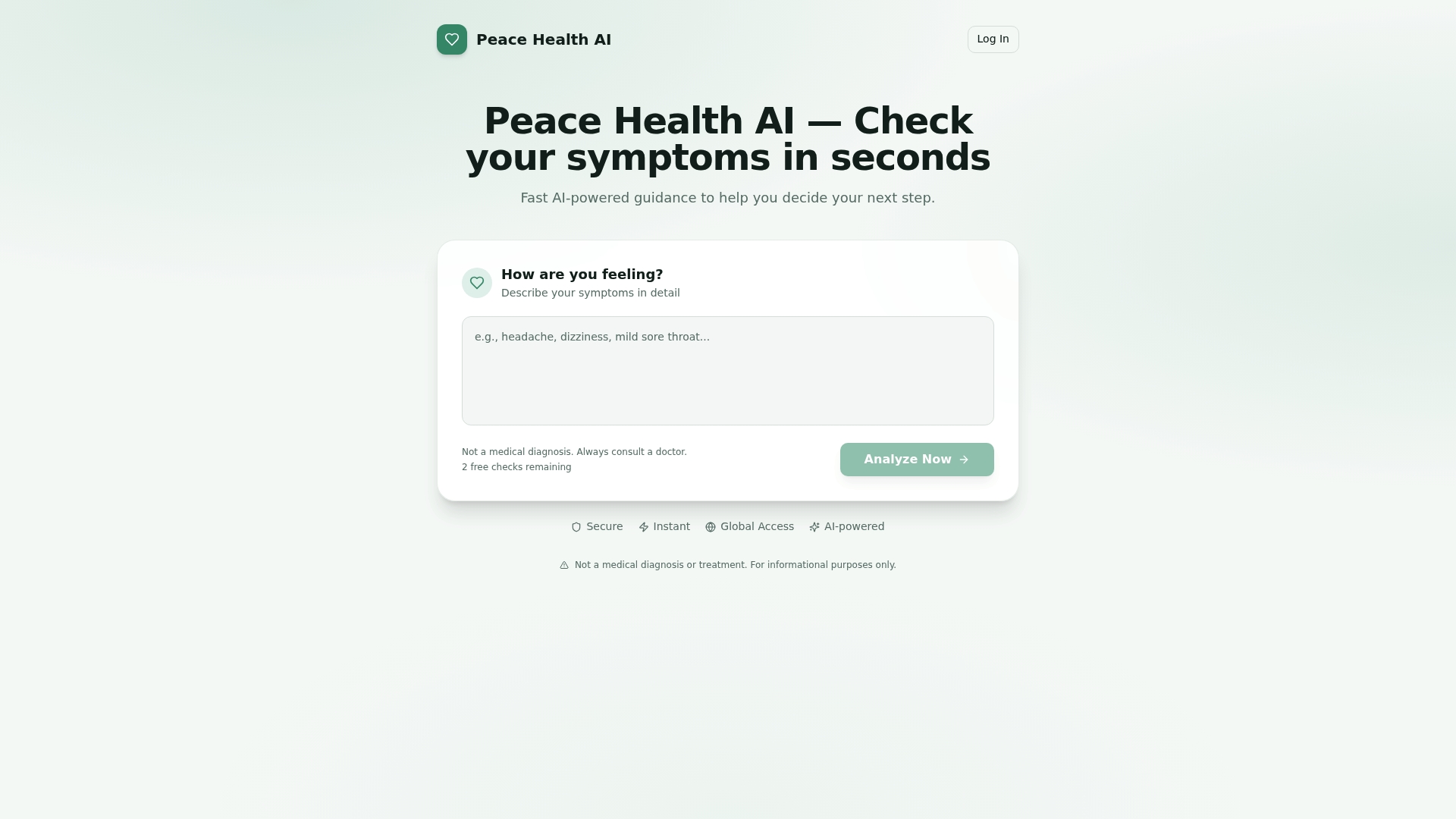
Connect your health data, log your first symptom entry, and see whether the personalization holds up over four weeks. If it does, the full feature set including symptom history, early alerts, advanced insights, and goal coaching is available on paid tiers. Start with what's free and upgrade when the evidence is in front of you.
Useful sources
The following sources informed the clinical accuracy standards, integration guidance, and evaluation methodology used throughout this article.
- Peacehealthai — AI-Powered Symptom Checker — product features, symptom-history tracking, and goal-based coaching details.
- The 10 Best Health & Wellness Apps (2026): Tested by a Health Tech Expert — expert-testing methodology, four-week trial standard, and hub-plus-specialist setup guidance.
- Best Health & Wellness Apps (expert-tested) — evaluation criteria: clinical accuracy, privacy, and evidence backing.
- Mental health apps — Healthline — evidence-based CBT module guidance and clinical limits of mental health apps.
- Best AI wellness apps (2026) analysis — adaptive readiness scoring and personalization patterns.
- Google Fit: Activity Tracking — Google Play — Heart Points metric, WHO/AHA activity targets, and device-data integration.
- Best weight loss apps 2026: 6 apps ranked — 16-week adherence study; 3.2× logging adherence improvement for AI-driven apps.
- Best wellness apps for iPhone: Comparative guide — Apple Health as foundation layer; hub-plus-specialist architecture.
- CDC Physical Activity Guidelines — standard activity targets referenced for baseline health benchmarks.
- American Heart Association — Activity Recommendations — AHA guidance on moderate activity targets aligned with Google Fit's Heart Points.
This article is general health information, not medical advice. Confirm any health concern with a qualified clinician or your primary care provider before acting on app-generated guidance.