
Start logging today. The single most useful thing you can do right now is open a notes app, record your period start date, and rate three symptoms on a 1–10 scale. That's your first entry. Pair that habit with an AI-capable tool like Peacehealthai and you'll have clinician-ready data within two cycles.
Three actions to take today:
- Set a 60-second daily alarm (same time each evening works best)
- Log period start and end dates, plus flow intensity
- Rate at least three symptoms: pain level, mood, and energy, each on a 1–10 scale
That's it for day one. Everything below shows you how to build on it.
Table of Contents
- What should you log every day in a period symptom tracker?
- How do you build a daily tracking routine that actually sticks?
- How do you use your tracked data with a clinician?
- Which tracked patterns should send you to a doctor right away?
- How do you choose the best period symptom tracker for clinical use?
- How does AI improve symptom tracking, and where does Peacehealthai fit?
- Key Takeaways
- Why clinician-ready tracking changes the conversation
- Peacehealthai gives you a clinical-grade head start
What should you log every day in a period symptom tracker?
A good menstrual symptom tracker captures four domains: menstrual events, physical symptoms, mental health, and behavioral changes. Clinicians need all four to distinguish cycle-linked conditions like PMDD from other causes.
Core daily fields:
- Menstrual events: Period start/end, flow intensity (light/moderate/heavy/spotting)
- Pain: Cramps (location, severity 1–10), pelvic pain, headaches, breast tenderness
- Systemic symptoms: Fatigue, bloating, digestive changes, sleep quality
- Mood and mental health: Anxiety, irritability, low mood, concentration difficulty, and any thoughts of self-harm (rate each 0–4 or 1–10)
- Behavioral: Social withdrawal, appetite changes, productivity at work or school
For severity, a simple 0–4 scale works well clinically: 0 = absent, 1 = mild (noticeable but manageable), 2 = moderate (affects daily tasks), 3 = severe (prevents normal function), 4 = extreme. The IAPMD's Daily Record of Severity of Problems (DRSP) uses this exact structure and is the validated instrument clinicians prefer for PMDD evaluation.
Sample daily entry (copy this):
Date: ___ | Cycle day: ___ | Flow: none/light/moderate/heavy Cramps: 0–4 | Headache: 0–4 | Fatigue: 0–4 Anxiety: 0–4 | Irritability: 0–4 | Mood: 0–4 Sleep (hours): ___ | Notes/triggers: ___
Tracking is data-gathering, not self-diagnosis. Clinical guidance from NCBI InformedHealth is clear: prospective daily diaries covering at least two to three complete cycles are required before a clinician can evaluate PMS or PMDD. One bad week of notes does not a diagnosis make.
Pro Tip: Don't aim for perfect entries. A partial log with consistent timing beats a detailed log you abandon after two weeks. Consistency is the variable clinicians care about most.

How do you build a daily tracking routine that actually sticks?
The 60-second daily check-in is the format most likely to survive past week three. Set one notification, open your tracker, tap through your symptom ratings, and close it. That's the whole routine.
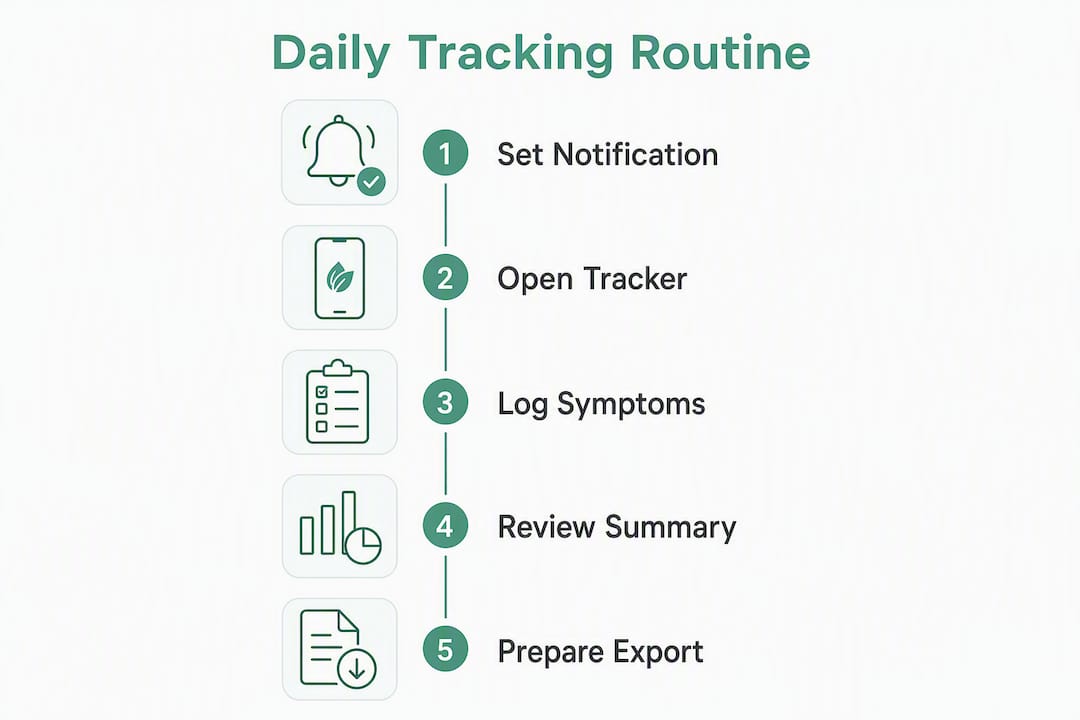
Minimum tracking timeline before patterns emerge:
| Cycles tracked | What you can conclude |
|---|---|
| 1 cycle | Baseline only — too early for pattern analysis |
| 2 cycles | Clinician can begin evaluation; patterns are tentative |
| 3 cycles | Confidence increases significantly; luteal-phase patterns become clear |
| 4+ cycles | Strong longitudinal data; useful for treatment response tracking |
Two complete cycles is the floor. Three is the standard that gives clinicians enough data to distinguish a cycle-linked pattern from random variation.
Setup checklist:
- Enable daily notifications at a fixed time (evening, after dinner, works for most people)
- Customize your symptom list to include any chronic conditions (migraines, IBS, anxiety disorder)
- Set your cycle length baseline if you know it
- Confirm your app exports to PDF or CSV — those are the formats most clinicians can open
For practical symptom tracking templates and export steps, Peacehealthai's blog covers exactly what to include in a clinician-ready file.
How do you use your tracked data with a clinician?
Clinicians use prospective daily ratings, not your memory of last month, to evaluate cycle-linked conditions. The key word is prospective: data recorded the day it happened, not reconstructed afterward. That distinction matters because retrospective recall consistently overestimates symptom severity.
Clinician-ready report fields to include:
- Date-stamped daily severity ratings for each symptom domain
- Cycle phase markers (follicular vs. luteal days, period dates)
- Symptom severity timeline (a simple chart showing peaks and troughs across cycles)
- Trigger and context notes (travel, stress, illness, medication changes)
- Exported summary statistics (average severity per phase, worst-day scores)
The IAPMD's DRSP instrument maps directly to DSM-5-TR PMDD criteria, which is why clinicians find it easier to interpret than a free-form diary. If your tracker exports data aligned to those domains, your clinician can move faster.
Pro Tip: Print a one-page summary before your appointment. Highlight your top three symptoms, your worst cycle day, and whether symptoms clear completely after your period ends. That last point, symptom-free days in the follicular phase, is often the single most diagnostic detail a clinician needs.
Which tracked patterns should send you to a doctor right away?
Some patterns in your symptom log require action before the next scheduled appointment. Others need urgent care now.
Seek emergency care immediately for:
- Heavy bleeding that soaks through a pad or tampon every hour for two or more consecutive hours
- Severe pelvic pain with fever above 101°F
- Suicidal thoughts or plans (call or text 988, the Suicide and Crisis Lifeline)
- Fainting, shortness of breath, or chest pain during your period
Schedule a prompt clinic visit (within days, not weeks) for:
- New, consistent severe mood changes that appear only in the luteal phase and resolve after menstruation
- Symptoms that are progressively worse across cycles, not stable
- Any pattern that disrupts work, relationships, or daily function for more than a few days per cycle
Your tracker is the documentation tool here. Note the exact dates, severity scores, and how many days the disruption lasted. That log is what your clinician needs to triage appropriately. For a fuller breakdown of when to act on escalating symptoms, Peacehealthai's clinical guidance covers the decision criteria in plain language.
Tracking is not a substitute for emergency care. If you are in crisis or experiencing a medical emergency, call 911 or go to your nearest emergency room.
How do you choose the best period symptom tracker for clinical use?
Not all trackers produce data a clinician can use. A basic calendar app tells you when your period started. A clinical-grade tracker tells your doctor whether your luteal-phase anxiety meets PMDD severity thresholds. The gap between those two is significant.
Feature checklist for clinical utility:
- Prospective daily input (not just period dates)
- Multi-domain symptom mapping: mood, somatic, cognitive, behavioral
- AI correlation analysis across cycles
- Clinician-ready export in PDF or CSV
- Offline logging capability
Privacy checklist:
- Clear data-retention and deletion policy
- Export control (you own your data)
- US privacy posture aligned with HIPAA principles where applicable
- No third-party data selling
Tracker category comparison:
| Feature | Basic calendar tracker | AI-capable wellness tracker | Clinical-grade tracker |
|---|---|---|---|
| Daily symptom input | Period dates only | Multi-domain daily logging | Standardized domain scoring |
| AI analysis | None | Trend detection, alerts | Pattern-to-criteria mapping |
| Clinician export | None or PDF summary | PDF/CSV export | Clinician-formatted report |
| Daily time required | ~60 seconds | 1–2 minutes | 1–3 minutes |
| Privacy controls | Varies | Usually strong | Usually strong |
| Typical cost | Free | Free to ~$10/month | Free to ~$15/month |
For a deeper look at AI-capable wellness app selection criteria, including what separates useful longitudinal tools from basic period log apps, Peacehealthai's comparison guide is worth reading before you commit to a subscription.
How does AI improve symptom tracking, and where does Peacehealthai fit?
A standard period log app shows you what happened. An AI-capable tracker shows you what it means across time. The difference is longitudinal correlation: AI can flag that your anxiety scores spike consistently on cycle days 22–26, that your sleep disruption precedes your mood crash by two days, or that a new symptom has appeared in three consecutive cycles. No manual review catches that reliably.
Concrete ways AI adds value:
- Automated trend detection across multiple cycles without manual charting
- Linking mood and behavioral signals to specific cycle phases
- Early alerts when a symptom pattern crosses a severity threshold
- Generating a structured summary a clinician can read in under two minutes
Peacehealthai supports this kind of analysis through its AI-powered symptom checker, daily check-in flow, symptom history tracking, and exportable reports. The tiered subscription model includes a free entry tier, with advanced features (priority analysis, AI health chat, health score analytics, and early repeated-symptom alerts) available at higher tiers.
Getting started in three steps:
- Sign up at Peacehealthai and complete your health profile
- Set your daily check-in notification and log your first entry using the symptom check flow
- After two cycles, export a sample report and bring it to your next appointment
Key Takeaways
Daily clinician-ready logging across at least two complete cycles, combined with an AI-capable tracker, gives you the strongest foundation for a productive clinical conversation about cycle-linked symptoms.
| Point | Details |
|---|---|
| Minimum tracking timeline | Log daily for at least two complete cycles; three cycles give clinicians higher confidence. |
| Core fields to log | Menstrual events, pain, fatigue, mood, anxiety, sleep, and behavioral changes, each rated by severity. |
| Red-flag triggers | Heavy bleeding hourly, severe pain with fever, suicidal thoughts, or symptoms worsening across cycles require prompt or emergency care. |
| Privacy checklist | Confirm your tracker has export control, a clear data-retention policy, and no third-party data selling. |
| Peacehealthai | Offers AI-powered daily check-ins, symptom history tracking, and clinician-ready exports across free and paid tiers. |
Why clinician-ready tracking changes the conversation
Most people arrive at a gynecology or psychiatry appointment with a rough memory of how bad last month felt. Clinicians, working from that, have to guess at pattern, severity, and timing. The result is often a delayed diagnosis or a trial-and-error treatment plan.
What changes that dynamic is not a better memory. It's structured, prospective data. When a patient walks in with two cycles of daily severity ratings, cycle-phase markers, and a one-page summary, the clinical conversation shifts from "tell me what's been happening" to "here's what the data shows, let's talk about options." That shift can cut months off an evaluation timeline.
The concern people raise about AI-powered trackers, that they'll lead to self-diagnosis or anxiety spiraling, is worth taking seriously. But the solution isn't less data. It's better framing. Tracking is evidence collection, not a verdict. Peacehealthai's approach keeps that distinction clear: the tool surfaces patterns and flags concerns, but the clinical interpretation stays with the clinician. Privacy controls and export ownership mean users decide what gets shared and when. That combination, AI pattern detection plus user control plus clinician collaboration, is what makes this category genuinely useful rather than just another wellness app.
Peacehealthai gives you a clinical-grade head start
Logging symptoms daily is straightforward. Getting data your clinician can actually use is harder, unless your tool is built for it from the start.
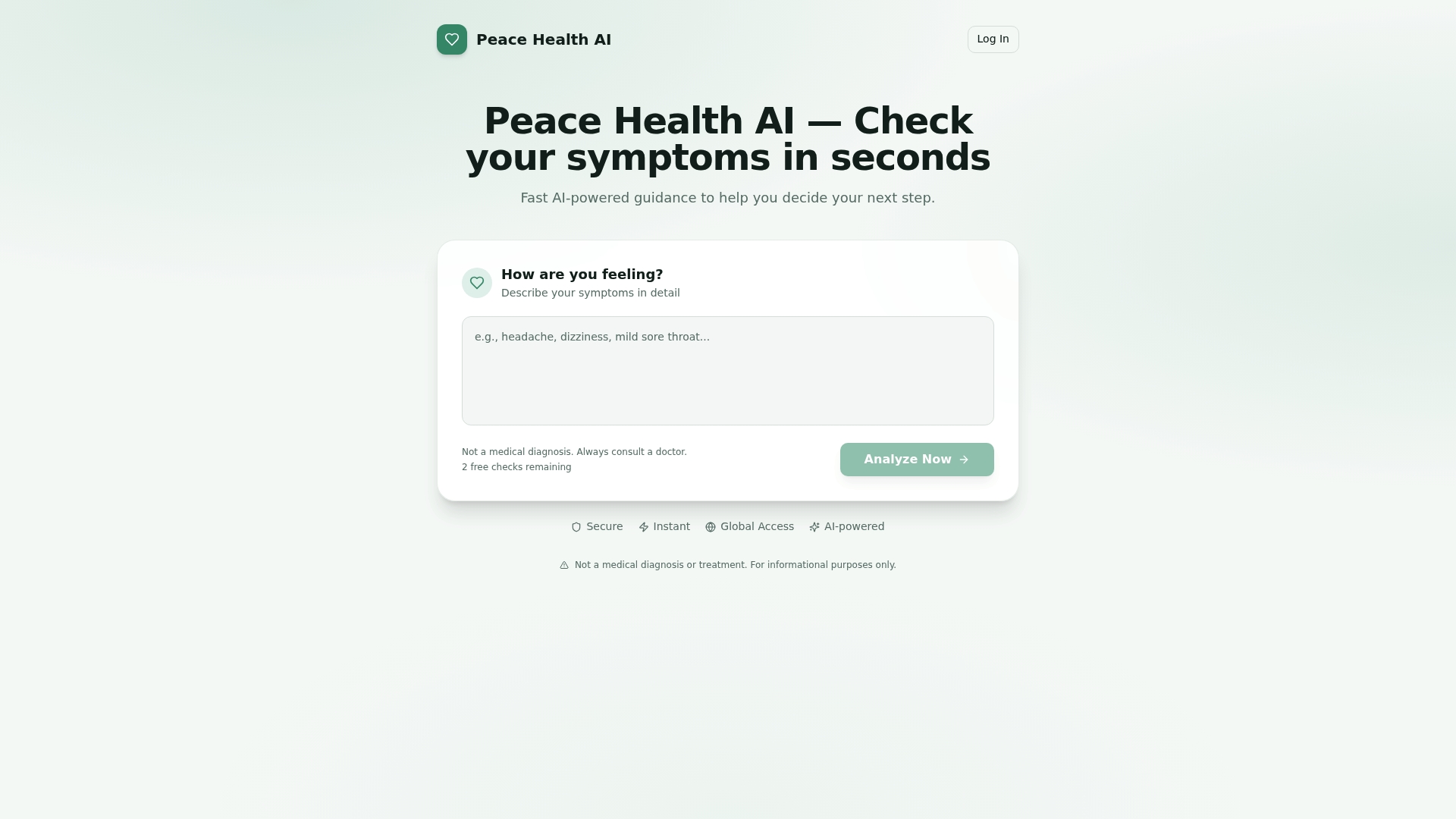
Peacehealthai's AI symptom checker handles both. The free tier gets you daily check-ins and symptom history. Upgrading adds AI trend detection, early repeated-symptom alerts, health score analytics, and priority response speed, all in a privacy-forward architecture where you control your export. There's no guesswork about what to log: the guided check-in flow prompts you through every relevant domain in under 60 seconds.
To get started, run your first symptom check today, set your daily notification, and log two cycles. Then export your report and bring it to your next appointment. That's the whole playbook.