
You can ask AI health questions for education, symptom triage, and appointment prep. What AI cannot do is diagnose your condition, prescribe treatment, or replace a clinician's physical exam. That boundary is not a limitation to work around. It is the whole point of using these tools well.
Mayo Clinic puts it plainly: AI answers can sound accurate and still be wrong. Use AI to understand what questions to ask your doctor, not to skip the appointment entirely.
Stop and call 911 or go to an emergency room immediately if you have any of these:
- Chest pain, pressure, or tightness
- Sudden weakness or numbness on one side of your body
- Severe shortness of breath at rest
- Uncontrolled bleeding
- Sudden confusion, slurred speech, or loss of consciousness
- Severe allergic reaction (throat swelling, hives, difficulty breathing)
- High fever with stiff neck or sensitivity to light
Pro Tip: Screenshot or write down what the AI tells you before your appointment. It gives your clinician a clear starting point and saves time.
Table of Contents
- What AI can and can't actually do for your health questions
- How to ask AI health questions: prompts, templates, and the green/yellow/red method
- How to verify and fact-check an AI health answer
- What you should and shouldn't share with an AI health tool
- Symptoms where AI should never be your first call
- What Peacehealthai does, when to use it, and where it stops
- Key Takeaways
- AI health tools work best when you know their limits
- Peacehealthai: try the symptom checker and see what it tells you
- Authoritative sources to check after an AI health answer
What AI can and can't actually do for your health questions
AI health tools have gotten genuinely useful. A well-designed health AI chatbot can explain a diagnosis in plain English, walk you through what a lab value means, summarize what the research says about a medication, and help you build a list of questions before a specialist visit. Those are real, practical wins.
The limits are just as real. AI has no access to your full medical chart. It cannot listen to your lungs, feel a lump, or order a blood test. And because large language models generate text by predicting what sounds plausible, they can produce confident-sounding answers that are factually wrong. This is called hallucination, and it happens even on medical topics.
Trustworthy health AI platforms use a multi-stage safety workflow: intent classification, clinical guideline retrieval, claim validation, and response generation. That pipeline is what separates a well-built tool from a general-purpose chatbot answering medical questions it was never designed to handle.
What a solid AI health tool can do:
- Explain medical terms and test results in plain language
- Suggest possible causes for a symptom cluster (not a diagnosis)
- Help you organize and prioritize questions for your clinician
- Summarize evidence on lifestyle changes, medications, or conditions
- Track symptom patterns over time and flag repeated concerns
What it cannot do:
- Physically examine you or order diagnostic tests
- Access your electronic health record
- Prescribe or adjust medications
- Guarantee accuracy on rare or complex conditions
- Replace clinical judgment in any urgent situation
When evaluating a platform, look for safety guardrails like clinician review of content, citations to guidelines from sources like the CDC or WHO, and explicit scope limits that prevent the tool from overstepping into diagnosis. Some tools also limit availability by country for regulatory reasons, which is a sign the platform takes legal compliance seriously.
Pro Tip: If an AI health tool never tells you "I don't know" or "see a clinician for this," treat that as a red flag, not a feature.

How to ask AI health questions: prompts, templates, and the green/yellow/red method
The quality of an AI answer scales directly with how well you frame the question. Vague inputs produce vague outputs. Structured inputs that include your age, how long the symptom has lasted, its severity, what makes it better or worse, and any medications you take produce answers that are far more specific and useful.
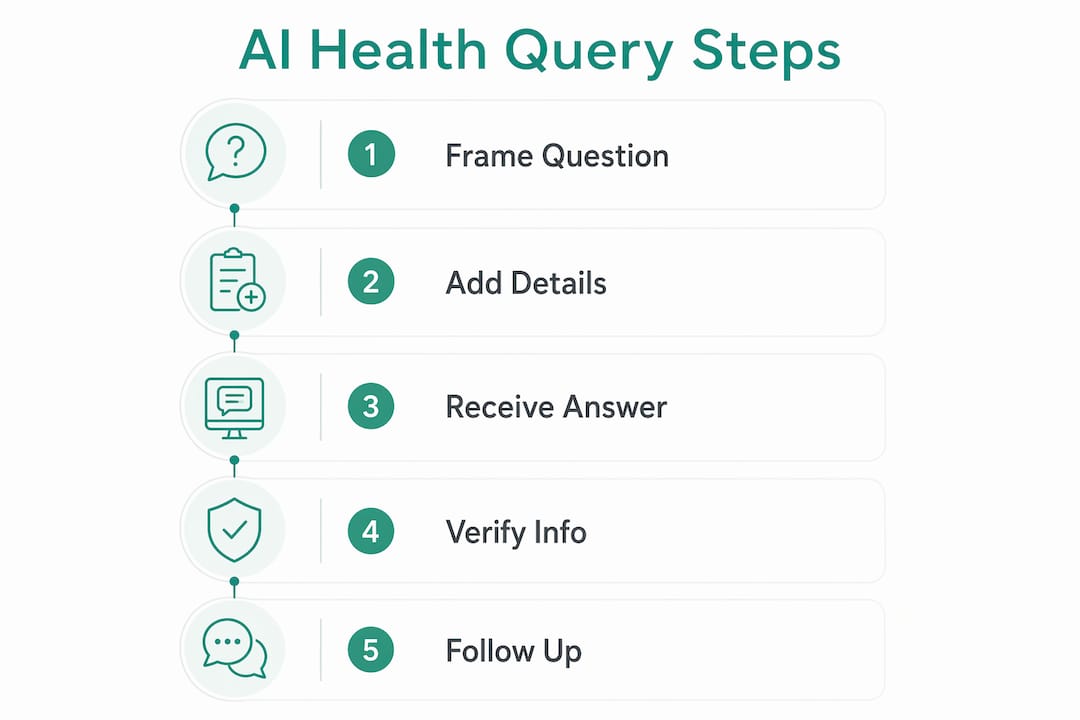
Copy-ready prompt templates
Symptom triage: Explaining a test result: Appointment prep: Lifestyle guidance:
The green/yellow/red triage method
| Color | Situation | What to do |
|---|---|---|
| Green | General education, explaining terms, appointment prep | AI is appropriate; verify key facts with CDC or NIH |
| Yellow | Symptom triage, interpreting results, medication questions | Use AI for context, then confirm with your clinician |
| Red | Chest pain, stroke symptoms, severe bleeding, altered consciousness | Skip AI entirely. Call 911 or go to the ER now |
Dos and don'ts for follow-up prompts:
- Do ask the AI to cite its sources or name the guideline it is drawing from
- Do ask it to explain its reasoning step by step
- Don't keep rephrasing the same question hoping for a different answer — if the AI is uncertain, that uncertainty is informative
- Don't treat a confident tone as evidence of accuracy
For parents preparing questions ahead of a pediatric visit, structured appointment prep questions follow the same principle: the more specific the input, the more useful the output.
Pro Tip: Always tell the AI your age, the symptom duration, and any relevant medications in the first message. Retrofitting that context in follow-up prompts often produces inconsistent answers.
How to verify and fact-check an AI health answer
Never act on an AI health answer without a quick verification pass. This does not have to take long. A focused three-minute check catches most errors.
Verification steps
- Ask the AI for its source. A well-built tool will name the guideline or organization it drew from. If it cannot, treat the answer as unverified.
- Cross-check with a primary authority. Go directly to the CDC, NIH, or a relevant specialty society (American Heart Association for cardiac topics, American Diabetes Association for metabolic questions). Search the specific claim, not just the topic.
- Check the publication date. Medical guidelines update. A recommendation from five years ago may have been revised. Look for the most recent version of any guideline the AI cites.
- Look for clinician-reviewed content. Platforms that publish content reviewed by licensed clinicians carry a higher baseline of accuracy than those that do not.
- Confirm with your clinician before acting. For anything beyond general education, a brief message to your care team through your patient portal costs nothing and closes the loop.
Reliable sources by use case:
- CDC (cdc.gov): Infectious disease, vaccines, public health emergencies, prevention guidelines
- NIH / MedlinePlus (medlineplus.gov): Plain-language drug and condition summaries, clinical trial information
- American Heart Association (heart.org): Cardiovascular symptoms, blood pressure, cholesterol, stroke
- American Diabetes Association (diabetes.org): Blood sugar management, A1C targets, dietary guidance
- Specialty society guidelines: For any chronic condition, the relevant professional society publishes patient-facing summaries
Some platforms, like those that synthesize evidence across studies, surface linked study summaries alongside their answers. That transparency makes verification faster because you can go directly to the source rather than searching from scratch.
Pro Tip: When you search a claim on NIH or CDC, add "patient" to your search string (e.g., "metformin side effects patient NIH"). You will land on the plain-language version, not the clinical trial abstract.
What you should and shouldn't share with an AI health tool
Sharing health details with an AI platform carries real privacy considerations. The risk is not hypothetical. Health data is among the most sensitive personal information you have, and not every platform handles it with the same care.
What not to share:
- Your full name, date of birth, or Social Security number
- Insurance ID numbers or policy details
- Complete medical records or imaging files
- Prescription numbers or pharmacy account details
What is generally safe to share in anonymized form:
- Age range (e.g., "mid-40s"), general location (e.g., "Northeast US"), and sex
- Symptom descriptions without identifying details
- General medication names and dosages without linking them to your identity
Platform privacy checklist
- Does the platform have a published HIPAA compliance statement or equivalent?
- Does it state clearly how long it retains conversation data?
- Is data encrypted in transit and at rest?
- Does it allow you to delete your data on request?
- Is content reviewed by licensed clinicians, or is it purely AI-generated?
- Does it disclose whether your data is used to train future models?
Some tools, including appointment-prep and screening tools, vary significantly on these points. Checking before you type is faster than trying to undo a disclosure after the fact.
Pro Tip: Use a general description instead of your name. "A 45-year-old man with hypertension" gives the AI everything it needs without attaching the answer to your identity.
Symptoms where AI should never be your first call
Some situations do not belong in a health AI chatbot. They belong in an emergency room or an ambulance. Knowing the difference before you are in the middle of a crisis is what makes this list worth reading now.
Call 911 or go to the ER immediately for:
- Chest pain, pressure, squeezing, or pain radiating to the arm or jaw
- Sudden facial drooping, arm weakness, or speech difficulty (stroke signs)
- Severe shortness of breath that comes on suddenly
- Uncontrolled or heavy bleeding
- Altered consciousness, fainting, or seizure
- Severe abdominal pain with rigidity
- Sudden severe headache unlike any you have had before ("thunderclap" headache)
- Signs of severe allergic reaction: throat tightening, tongue swelling, hives with breathing difficulty
Triage timeline
- Immediate (call 911): Any symptom from the list above. Do not search. Do not type. Call.
- Same-day urgent care: High fever (above 103°F in adults), moderate injury, worsening infection, symptoms that have rapidly escalated in the past 24 hours.
- Clinician follow-up within a few days: Persistent but stable symptoms, questions about a recent diagnosis, medication side effects that are uncomfortable but not dangerous.
- Routine appointment: Preventive care, chronic condition management, lifestyle questions, interpreting stable lab results.
AI is informational only and is not a substitute for professional medical care. That is a legal fact and a practical one.
Pro Tip: Save your local urgent care address and your primary care clinic's after-hours number in your phone now. In a stressful moment, you will not want to search for it.

What Peacehealthai does, when to use it, and where it stops
Peacehealthai is an AI-powered symptom checker built for exactly the green and yellow zones described above. You describe your symptoms in detail, and the tool provides fast, structured guidance on what those symptoms might indicate and what your next step should be.
Core features:
- Basic and advanced symptom analysis with immediate guidance
- Symptom history tracking and early alerts for repeated patterns
- AI health chat for follow-up questions
- Daily AI-generated nutrition and activity insights
- Health score analytics and goal-based coaching (fat loss, muscle gain, wellness)
- Secure access with a clean, minimal interface built for ease of use
Best use cases for Peacehealthai:
- Triage: "Should I be worried about this symptom?"
- Appointment prep: building a clear, specific list of questions for your clinician
- Ongoing tracking: logging symptoms over time to spot patterns before your next visit
- Lifestyle support: evidence-based nutrition and activity guidance between appointments
Where it stops: Peacehealthai does not diagnose medical conditions and does not issue prescriptions. For any red-flag symptom, the tool will direct you to emergency care. For complex or ambiguous situations, it will recommend clinician follow-up. That is by design.
Pro Tip: Use the symptom history feature to log recurring symptoms even when they feel minor. Patterns that seem unrelated in isolation often tell a clearer story when your clinician sees them together.
Key Takeaways
AI is a practical health tool when you use it for education and triage, verify answers against primary sources, and escalate to a clinician for anything urgent or complex.
| Point | Details |
|---|---|
| AI's appropriate role | Use AI for education, symptom triage, and appointment prep — not for diagnosis or prescriptions. |
| Prompt quality matters | Include age, symptom duration, severity, triggers, and current medications for more accurate AI responses. |
| Always verify | Cross-check AI answers with CDC, NIH, AHA, or a relevant specialty society before acting on them. |
| Protect your privacy | Never share your full name, insurance ID, or complete medical records with an AI health tool. |
| Peacehealthai | Offers structured symptom checking, history tracking, and appointment prep with clear escalation paths to clinical care. |
AI health tools work best when you know their limits
The most common mistake people make with AI health advice is not using it at all. The second most common mistake is using it as a final answer.
What gets lost in both extremes is the genuinely useful middle ground. A well-structured question to a well-built health AI tool can surface information that takes 20 minutes to find on your own in under two minutes. It can help you walk into a specialist appointment with specific, informed questions instead of a vague description of how you feel. That is real value, and it is worth using.
The concern worth taking seriously is the confidence problem. AI answers sound authoritative whether they are right or wrong. That is not a flaw in the technology so much as a feature of how language models generate text. The fix is not to distrust AI entirely. It is to treat every AI health answer the way a thoughtful person treats a knowledgeable friend's opinion: useful input, not a final verdict.
The practical next step is simple. If you have a symptom you are unsure about, use a trusted tool like Peacehealthai to get structured initial guidance, then bring that output to your clinician. That combination, AI for context and a clinician for judgment, is how these tools are meant to work.
Peacehealthai: try the symptom checker and see what it tells you
Waiting three weeks for a routine appointment to find out whether a symptom is worth worrying about is a frustrating gap in how most people access healthcare. Peacehealthai closes that gap without replacing your doctor.
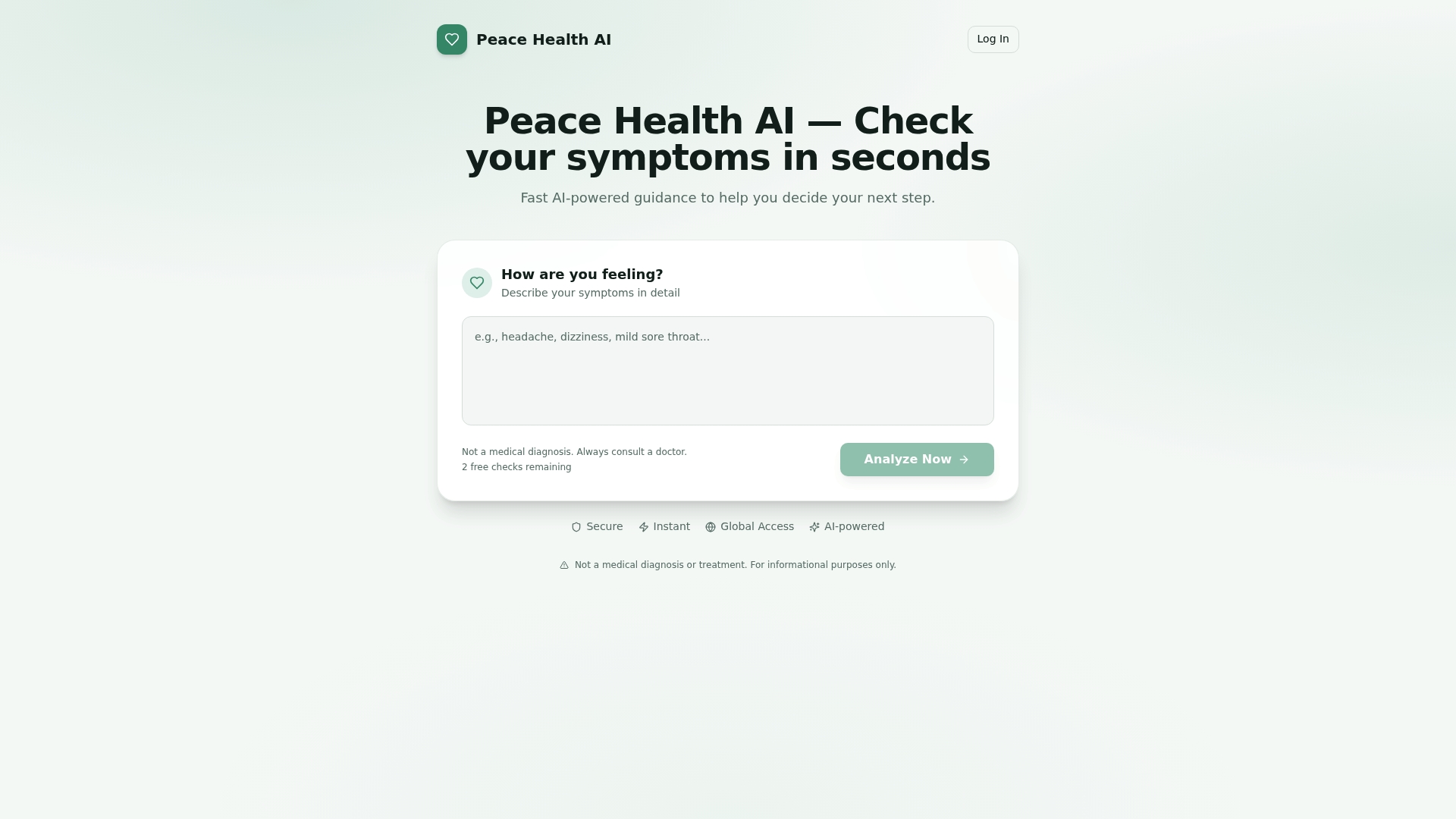
Describe your symptoms in plain language and get structured, immediate guidance on what they might mean and what to do next. The tool covers basic and advanced symptom analysis, tracks your history over time, and flags patterns that repeat. Higher-tier plans add priority response speed, AI health chat, health score analytics, and goal-based coaching for fat loss, muscle gain, or general wellness.
Peacehealthai offers a free tier so you can try the core symptom checker before committing to a paid plan. See all plans and features to find the right fit. This is not a diagnostic service and does not replace clinical care, but it gives you a clear, informed starting point every time a health question comes up.
Start your symptom check now and see what the AI finds.
Authoritative sources to check after an AI health answer
| Source | Best use case | What to watch for |
|---|---|---|
| CDC (cdc.gov) | Infectious disease, vaccines, prevention, public health emergencies | Distinguish patient-facing pages from technical guidance |
| NIH / MedlinePlus (medlineplus.gov) | Drug summaries, condition overviews, clinical trial info | Check the "last reviewed" date on each page |
| American Heart Association (heart.org) | Cardiovascular symptoms, blood pressure, stroke, cholesterol | Separate patient education from clinical guidelines |
| American Diabetes Association (diabetes.org) | Blood sugar, A1C targets, dietary guidance for diabetes | Standards of Care document updates annually |
| Mayo Clinic (mayoclinic.org) | Broad condition overviews, symptom checkers, drug information | Clinician-reviewed; still confirm with your own care team |
| WHO (who.int) | Global disease data, international travel health, outbreak alerts | Primarily population-level; supplement with US-specific CDC data |
After checking any of these sources, bring your findings to your clinician. A short message through your patient portal, "I read X on the CDC site and wanted to confirm it applies to my situation," takes two minutes and closes the loop between what you read and what actually applies to you.
This article is general health information, not medical advice. Always confirm your specific situation with a qualified healthcare professional or the relevant primary source.